Telemark is now in TestFlight beta for macOS.
Why TelemarkFeaturesPrivacyFAQ

A Markdown viewer for macOS

Markdown,
beautifully at home.

All the clarity of a great document. None of the editor. Open READMEs, notes, and technical documentation in a viewer made for your Mac.

TestFlight beta · Requires macOS 26.5 or later.

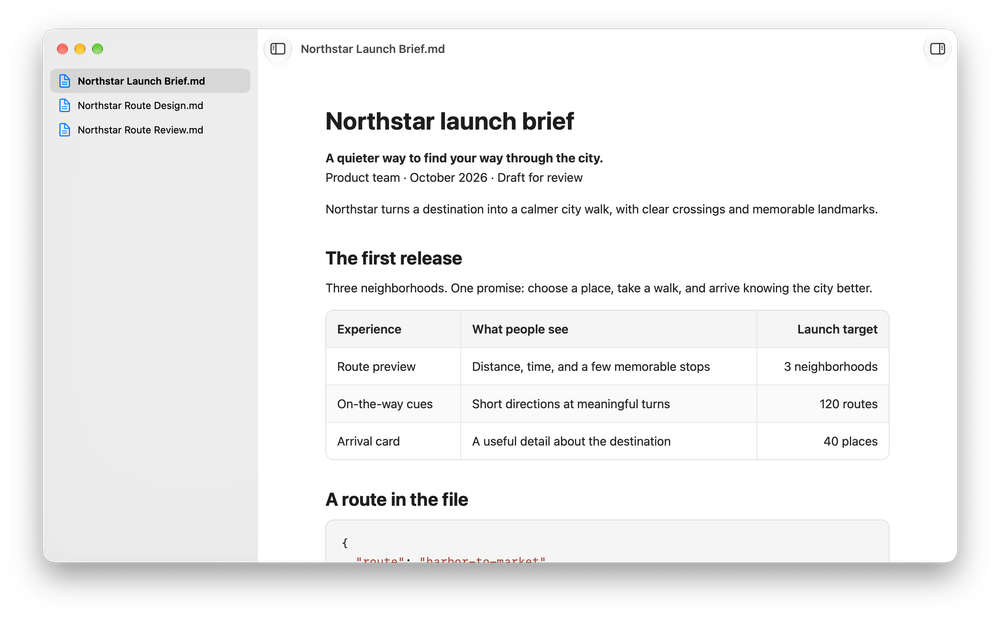
Telemark window showing a rendered Markdown launch brief with a file browser sidebar
Thoughtful by design. Made for the document, not the toolbar.

01 / Why Telemark

Open Markdown.
Read it.

Markdown is everywhere. Reading it shouldn’t mean opening a code editor, finding a preview button, or deciphering a page of symbols.

Telemark is a dedicated viewer. It does one job, and gets out of the way.

  1. 01

    Open naturally

    Use Finder, Open With, or simply drag in a Markdown file.

  2. 02

    Read comfortably

    Thoughtful typography, document zoom, and room to focus.

  3. 03

    Take a Quick Look

    Select a Markdown file in Finder and press Space.

  4. 04

    Stay up to date

    Changes made in your editor appear in Telemark automatically.

02 / The essentials

Everything you need to read.
Nothing you don’t.

Familiar Markdown, presented beautifully. No special workflow to learn.

Built for real documents

Markdown that looks like it should.

Read GitHub Flavored Markdown with structured headings, tables, task lists, links, and syntax-highlighted code. Copy a code block with one click, or focus on a wide table when you need more room.

  • GitHub Flavored Markdown
  • Code highlighting, copy controls, and readable tables
  • Automatic light and dark appearance
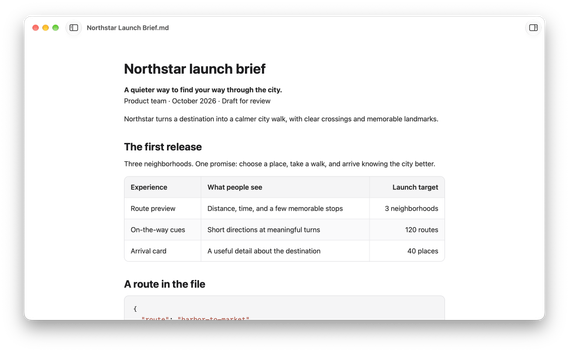
A rendered Markdown document with headings, a table and a task list in Telemark

Diagrams included

See the whole picture.

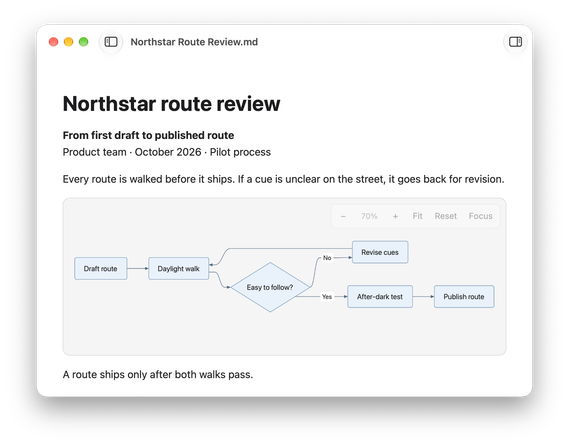
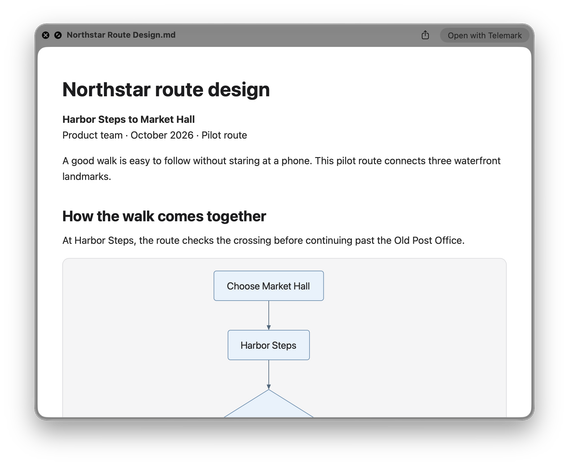
Mermaid diagrams render directly inside your documents, without installing anything else. Zoom, pan, and focus on details when diagrams get complex.

  • Inline Mermaid rendering
  • Zoom, pan, fit, and focused view
A Mermaid flowchart rendered inline in a Telemark document

For the curious

The source is always there.

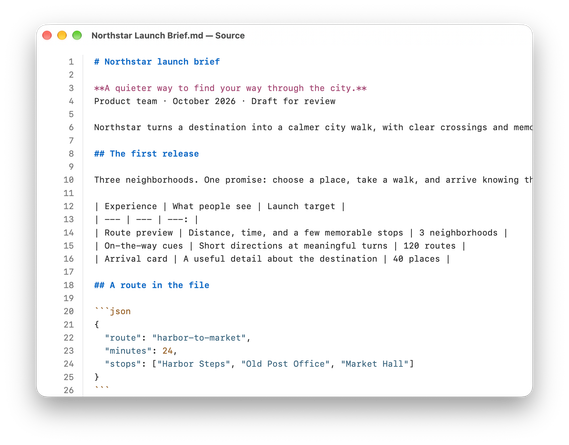
Need the exact Markdown? Open the read-only, syntax-highlighted source in its own window. Your original file stays untouched.

  • Dedicated read-only source view
  • Find and copy what you need
Telemark’s read-only, syntax-highlighted Markdown source window

Right from Finder

Take a Quick Look.

Select a Markdown file in Finder and press Space. Read the formatted document without opening an editor or leaving Finder — and open it in Telemark with one click when you want to stay.

  • Formatted previews in Finder
  • Open with Telemark in one click
A Finder Quick Look preview of a Markdown file rendered by Telemark

Export and print

Take the document with you.

Export a rendered document as standalone HTML or PDF, or print it with the standard macOS print dialog. Mermaid diagrams come through as diagrams, too.

  • HTML

    A standalone page you can open without Telemark.

  • PDF

    A paginated copy ready to send or save.

  • Print

    Paper copies through the familiar Mac print dialog.

03 / Peace of mind

Your documents
belong to you.

Telemark is built for local files. It doesn’t ask you to create an account, and its renderer works without an internet connection.

  • No account. No library to manage.

    Open the file you want to read, right on your Mac.

  • Remote images stay blocked.

    Images hosted elsewhere don’t load unless you choose to allow them for that session.

  • Made for reading, not tracking.

    The product is designed without user behavior analytics or document-content collection.

04 / Good to know

Frequently asked questions.

Is Telemark a Markdown editor?

No. Telemark is made for reading. Keep writing in the editor you already like — when the file changes, Telemark refreshes the document.

Can I download Telemark from the Mac App Store?

Not yet. Telemark is in a TestFlight beta right now, and it’s coming to the Mac App Store.

Does Telemark work offline?

Yes. Markdown and Mermaid rendering are built into the app and don’t depend on an online service. Remote images still need a connection — and your permission to load them.

Does it require an account?

No. There’s nothing to sign up for. Open a Markdown file and read it.

Can I preview Markdown with Quick Look?

Yes. Select a Markdown file in Finder and press Space to see the formatted document, then open it in Telemark with one click.

Which macOS version do I need?

The current Telemark beta requires macOS 26.5 or later.

Telemark for macOS

Read Markdown before everyone else.

Try Telemark on your Mac and help shape the first release.

Join the TestFlight beta

Requires macOS 26.5 or later · Reads local files · No account